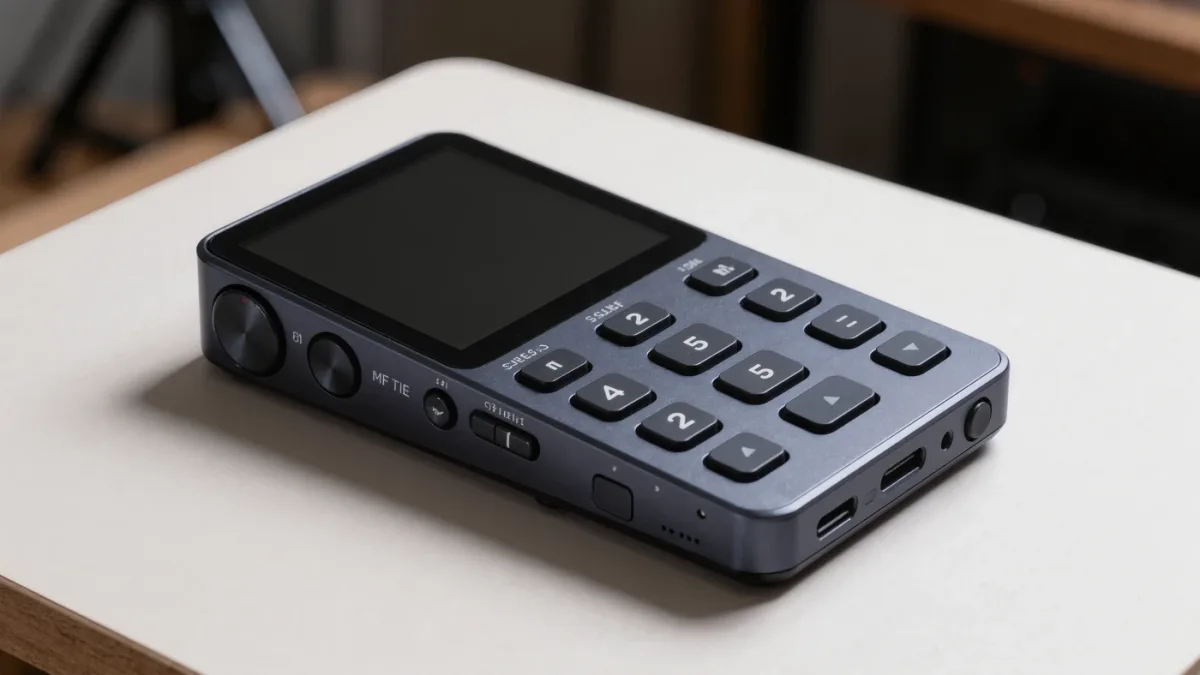
A Victor Reader Stream, HumanWare's pocket-sized talking-book player, does things no mainstream e-reader does: it plays DAISY talking books, NLS BARD downloads, and Bookshare files, navigates by chapter and page in structured audio, and runs about 20 hours per charge, per HumanWare's product documentation (2025). For decades these players were the default hardware for blind readers, and even in a world of smartphone apps, they still hold a specific, defensible niche.
What is the Victor Reader line, exactly?
Victor Reader is a family of accessible audio players made by HumanWare, a major assistive-technology manufacturer. The current flagship, the Victor Reader Stream 3, is a hand-sized dedicated player with physical buttons, a speech interface, Wi-Fi, and support for audiobooks, podcasts, music, and text files read aloud, per HumanWare's documentation. An older sibling, the Victor Reader Trek, adds GPS orientation features for blind travelers.
The design philosophy is the opposite of a touchscreen. Every core function — play, speed, navigation, bookmark — sits on a tactile button you can find without looking. Speech feedback announces every state change. That matters for readers who find touchscreens frustrating, for anyone working by feel, and for people who simply want reading hardware that stays hardware.
The lineage matters too: Victor Reader devices grew up around DAISY, the structured talking-book standard used by libraries serving print-disabled readers since the late 1990s, so their navigation model — jump by chapter, section, page, phrase, or bookmark in structured audio — is deeper than most mainstream apps offer.
Which formats and libraries do they support?
Per HumanWare's specification sheets, the Stream 3 handles:
- DAISY talking books, both audio and text-only, with full structural navigation.
- NLS BARD downloads — the Library of Congress's National Library Service collection for blind and print-disabled readers in the United States.
- Bookshare titles, the large accessible ebook library for readers with qualifying print disabilities.
- Commercial and personal audio — MP3, audiobook files, podcasts over Wi-Fi, and text documents read with the built-in text-to-speech voice.
That library coverage is the heart of the case for a dedicated player. The NLS program, run by the Library of Congress, lends braille and audio books free to eligible US readers; Bookshare serves an international membership. A mainstream Kindle can reach none of these collections — they are restricted to eligible users on approved tools, and the players that serve them are built around that workflow.
How does a Victor Reader compare with a phone or Kindle?
Start with the honest comparison, per each vendor's documentation:
| Capability | Victor Reader Stream 3 | Phone with screen reader | Kindle with VoiceView |
|---|---|---|---|
| DAISY navigation | Full structural navigation | Via specialist apps | Not supported |
| NLS BARD / Bookshare | Supported | Supported via official apps | Not available |
| Physical buttons | Full tactile controls | None (touchscreen) | Minimal |
| Battery for audio | Up to ~20 hours | Varies, shorter | Shorter than native reading |
| General-purpose use | Reading and audio only | Everything | Books and store |
| Learning curve | Gentle, button-based | Steep gestures | Moderate |
The phone wins on versatility, and nobody should pretend otherwise. The Victor Reader wins on simplicity, dedicated buttons, battery, and library-native workflows. In practice many blind readers own both and reach for the Stream for long listening sessions — it is lighter than a phone for hours of audio, the buttons are glove-friendly, and a dead phone battery does not take your book down with it.
Who should actually buy one?
The clearest fits:
- NLS and Bookshare power users who download constantly and want a device built around those libraries.
- Readers who struggle with touchscreens — physical buttons remove an entire category of frustration.
- Students and professionals using structured navigation to move through textbooks and manuals chapter by chapter.
- Anyone wanting a single-purpose device with long battery life and no notifications competing for attention.
If none of those describe you, a smartphone with its built-in screen reader — which has cost nothing extra since the late 2000s — plus library apps will do the job well. That is not a defeat for the dedicated player; it is just a different reader's math.
What do they cost, and what help exists?
Dedicated assistive hardware carries dedicated pricing: Victor Reader players sit at several hundred dollars, well above a basic e-reader, per HumanWare's published pricing. The offsetting fact is that in the United States, the NLS program and its network of cooperating libraries lend both content and, in many cases, playback hardware to eligible readers at no cost, per the Library of Congress's program documentation. State vocational rehabilitation agencies and veterans' benefits also fund assistive technology for eligible people. Before paying retail, ask the libraries and agencies first — many readers get these devices at little or no personal cost.
Frequently asked questions
Is a Victor Reader obsolete now that phones have screen readers?
No. Phones are versatile, but the Stream's tactile buttons, DAISY navigation, NLS and Bookshare integration, and long audio battery keep it a preferred long-listening device for many blind readers, per HumanWare's documentation.
Can a Victor Reader read regular ebooks?
Partly. It reads text files aloud with its built-in voice, but it is not an EPUB e-reader with visual display. For EPUB, pair it with a phone app or a braille display.
How do I get NLS or Bookshare access?
Both require proof of a qualifying print disability. NLS serves US residents through the Library of Congress network; Bookshare serves eligible members internationally. Applications go through their official channels, per each program's documentation.