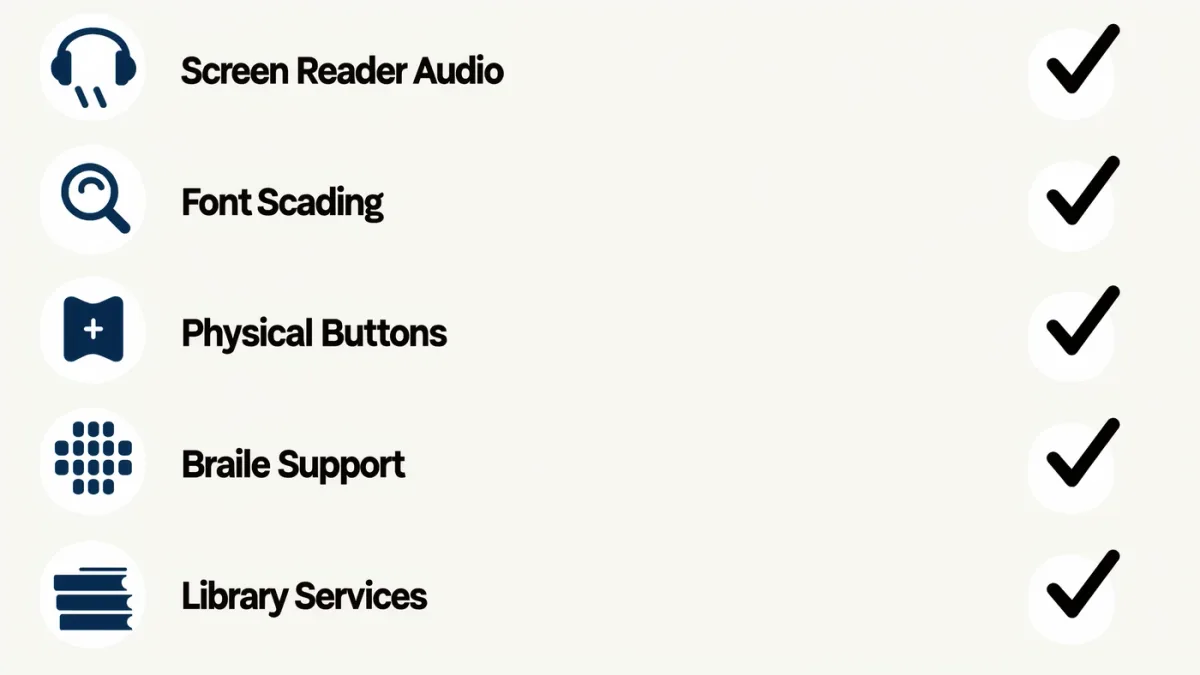
Before buying an e-reader for accessible reading, check five things in order: does it have a built-in screen reader, how far do font size and bold settings scale, are there physical page-turn buttons, does your library's service support it, and can you return it if it fails your eyes or hands. As a baseline, every current mainstream Kindle since 2017 carries the VoiceView screen reader over Bluetooth, per Amazon's documentation (2025) — but no mainstream e-reader offers braille output, and none works with the specialized services like NLS BARD that many blind readers use, per the Library of Congress's program documentation.
Why does a checklist matter more for accessible reading?
Accessible features are unevenly distributed across the e-reader market, and marketing pages rarely foreground them. Two devices at the same price can differ completely in screen reader availability, button layout, or font ceiling — differences that decide whether a device works for a specific reader or becomes an expensive paperweight.
The regulatory background is also shifting the ground: the European Accessibility Act, applying in the EU since June 2025, sets accessibility requirements for a range of products and services, and the W3C's guidance on accessible reading defines what good looks like in file terms. Devices and stores are improving, but unevenly — which is precisely why a personal checklist beats a generic recommendation.
The checklist itself
- Built-in screen reader, documented. Check the manufacturer's accessibility page, not the sales page. VoiceView covers modern Kindles, per Amazon; Kobo devices lack a full built-in screen reader, a difference that matters enormously for blind readers.
- Audio path for speech. Kindle e-readers deliver VoiceView over Bluetooth only — confirm you have, and will keep, a compatible audio device.
- Font size, bold, and spacing ceilings. Larger screens hold larger text; multiple bold levels often help more than size. Test in a store if you can.
- Physical buttons. Page-turn buttons help many readers with tremor, limited dexterity, or anyone who dislikes hunting tap zones; only some models have them.
- Braille needs. No mainstream e-reader drives a braille display. If braille is in the picture, budget for a phone or computer plus display instead, or an NLS-lent braille e-reader in the US.
- Library service compatibility. NLS BARD, Bookshare, and DAISY collections live on dedicated players and phone apps, not on Kindles or Kobos. Buy for the library you actually use.
- File accessibility. Reflowable books with real text respond to every accessibility setting; fixed-layout files resist them. Your device is only half the system.
- Return policy. Accessibility is personal; the honest test is a week of real reading, not a demo unit.
How do the main ecosystems compare?
A compact view of what is documented, per each vendor's accessibility pages:
| Capability | Kindle e-readers | Kobo e-readers | Phone / tablet |
|---|---|---|---|
| Built-in screen reader | VoiceView (Bluetooth audio) | Not available on-device | Full (VoiceOver, TalkBack) |
| Braille display support | No | No | Yes |
| Font size and bold scaling | Yes, many steps | Yes, plus font sideloading | Yes, plus system magnification |
| Physical page-turn buttons | On select models | On select models | No (use switches/voice) |
| NLS BARD / Bookshare apps | No | No | Yes |
| Glare-resistant reflective screen | Yes | Yes | No |
No column wins outright. The phone is the most capable assistive device most people already own; the e-ink devices win on glare, battery, and dedicated reading comfort. Many readers with disabilities own both, and that is a reasonable answer, not an indulgence.
What beyond the device should you line up?
The device is one-third of an accessible reading setup. The other two:
- Library access. Register with the national service for your country — NLS in the United States lends content and hardware to eligible readers at no cost, per the Library of Congress; other countries run equivalents. Bookshare covers qualifying print disabilities internationally.
- Funding routes. Vocational rehabilitation agencies, veterans' benefits, school disability offices, and charitable programs fund devices and displays for eligible people. Ask before paying retail — this routinely saves readers hundreds to thousands of dollars.
A closing note on file quality
The quietest lesson in accessible reading is that the file matters as much as the hardware. A well-made accessible EPUB with real headings and alt text works beautifully on modest equipment; a scanned, image-only PDF defeats the best setup money can buy. When publishers build to the EPUB Accessibility specification — increasingly an expectation under the European Accessibility Act — every device on this list gets better at once. Support publishers that do it, and check a sample chapter of the books you buy: it is the fastest accessibility test there is.
If you can, test in the first week of the return window with the books you actually read — a dense textbook, a novel, a graphic work if that is your diet. Run each through your normal settings: font ceiling, bold, speech if you use it, buttons if you need them. A device that passes that week is a device you will keep for years; one that fails it goes back, and that is the checklist doing its job.
Frequently asked questions
Which e-reader is best for blind readers?
Kindle e-readers with VoiceView are the only mainstream e-readers with a documented built-in screen reader. Many blind readers prefer a phone with VoiceOver or TalkBack plus library apps, which also support braille displays.
Do any e-readers support braille?
No mainstream e-reader drives a braille display. For braille reading of commercial ebooks, pair a braille display with a phone or computer running its built-in screen reader; in the US, NLS lends braille e-readers to eligible readers.
Is there an accessibility law covering e-readers?
In the EU, the European Accessibility Act has applied to relevant products and services since June 2025, pushing the market toward documented accessibility. In the US, the ADA and Section 504 cover institutions and services more than device hardware.