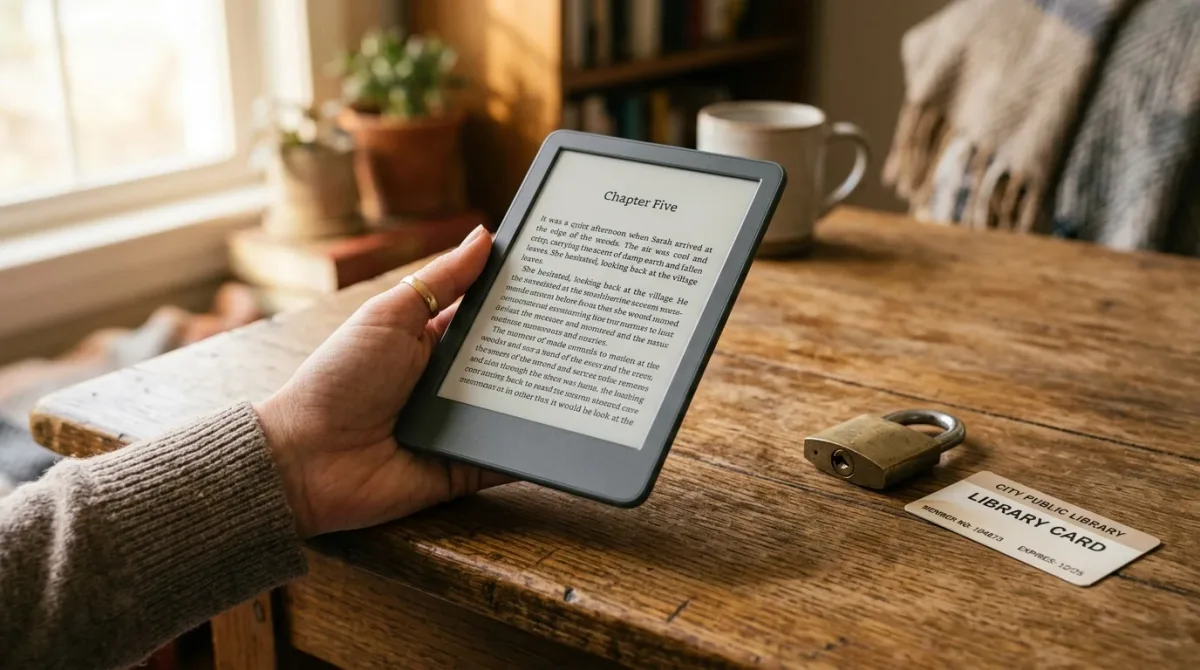
Yes — but which books travel between brands depends on where you bought or borrowed them, not on the file itself. Per Rakuten Kobo’s own support documentation, its e-readers open EPUB, PDF, and Adobe-DRM-protected files natively; per Engadget’s comparison of Kindle alternatives, Amazon’s devices stay comparatively closed to outside formats and library loans via Libby currently work in the US only.
If you mostly buy from one storefront and stay there, none of this matters. If you borrow from a library, write for more than one platform, or just want to know why a file that opens on one device refuses another, the mechanism is worth understanding once — and it explains more of the e-reader market’s quirks than most buying guides ever mention.
Can I Read the Same Ebook File on a Kindle and a Kobo?
Usually not without an extra step, and the reason is DRM rather than the file extension. Kobo’s help documentation lists EPUB, EPUB2, EPUB3, PDF, FlePub, and MOBI as natively supported formats on its e-readers, and separately confirms that files locked with Adobe DRM require Adobe Digital Editions to transfer onto the device, while “social DRM” files can be read without it. Kindle devices, by contrast, are built around Amazon’s own file pipeline — Engadget’s guide to Kindle alternatives notes that Kobo’s “native support” for open formats “makes it a better option than a Kindle” for readers who want to sideload files bought elsewhere. Neither source claims a purchased, DRM-locked Kindle book can be moved onto a Kobo, or vice versa — that restriction is a store policy, not a missing file converter. The file extension on a book you already own is rarely the blocker people assume it is; the license attached to it is.
How Does Adobe DRM Let One Purchase Work on Different Devices?
Adobe Digital Editions is the layer that makes a single library or bookstore purchase usable across more than one brand of hardware, according to Adobe’s own product FAQ. The software authorizes an ebook to a specific Adobe ID rather than to one device, and as of version 4.5.12, Adobe states that “when a consumer fulfils a book on one device, the book will be automatically downloaded to all the other devices that belong to this consumer” using that same ID. That’s the technical reason a library ebook borrowed with Adobe DRM can, in principle, open on any e-reader whose maker has built in Adobe Digital Editions support — Kobo among them, per its own documentation — while an Amazon-purchased Kindle book generally cannot. It is worth repeating that Adobe ties the license to a person, not a specific gadget, which is the opposite of how a closed storefront usually behaves.
Can I Borrow a Library Ebook Directly to a Kindle?
Yes, through Libby, but with a real regional limit. OverDrive’s Libby help center walks through the process: from the Libby Shelf, choose a loan, select “Read With…,” then “Kindle,” which redirects to Amazon’s site to confirm “Get Library Book”; the title then syncs to every Kindle linked to that Amazon account. Libby’s documentation states plainly that this path is “available in the U.S. only,” and it separately recommends that Fire tablet owners read inside the Libby app itself rather than route through the Kindle sync — the help center doesn’t explain why, only that it’s the recommended path. Libby’s documentation does not detail what happens technically to the file once it lands on Amazon’s side, so that part of the pipeline isn’t independently confirmed here. If your library serves readers outside the US, don’t assume the same Kindle shortcut applies before checking your own library’s app.
Which Formats Does Each Ecosystem Actually Support?
| Ecosystem | Native formats (per maker documentation) | DRM path for locked files | Library lending |
|---|---|---|---|
| Kobo e-readers | EPUB, EPUB2, EPUB3, PDF, FlePub, MOBI (per Kobo support docs) | Adobe Digital Editions required for Adobe-DRM files; social-DRM files open directly | Not addressed in the sources checked for this piece |
| Kindle e-readers | Amazon’s own formats built for its store (per Engadget’s comparison of Kindle alternatives) | Amazon-managed; not Adobe Digital Editions-based | Via Libby’s “Read With Kindle” path, U.S. only (per OverDrive/Libby help center) |
Read that table as a snapshot of documented behavior, not a ranking. A Kobo owner who buys widely from independent stores benefits from the open-format side of that row; a Kindle owner who stays inside Amazon’s storefront may never notice the closed side at all, since the friction only shows up when a reader tries to leave.
What This Doesn’t Solve
None of the sources checked here describe a way to move a DRM-locked purchase from one store’s ecosystem to another brand’s device — that’s a store-terms question, not a format one, and it’s outside what this piece can responsibly answer. The Libby help documentation also doesn’t specify what happens on Amazon’s servers once a library loan syncs to a Kindle, so treat that step as a black box rather than a confirmed technical process. And region matters more than any spec sheet: the U.S.-only limit on Kindle library lending through Libby means readers outside that market should check their own library’s supported apps before assuming the same path applies. For indie authors publishing to more than one storefront, the practical takeaway is the same one readers face: format compatibility and DRM policy are separate questions, and a title’s EPUB file being “standard” says nothing about whether the copy a customer buys will travel to a different brand’s device.
FAQ
For a related apps perspective, read How to Borrow Library E-Books on a Kindle E-Reader.
For more context, read Which E-Reader Handles Library Books Best?.